
Apple Watch
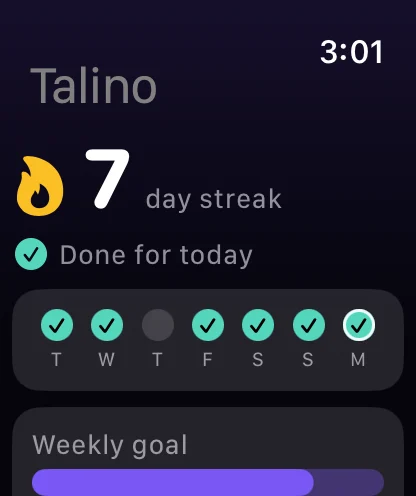
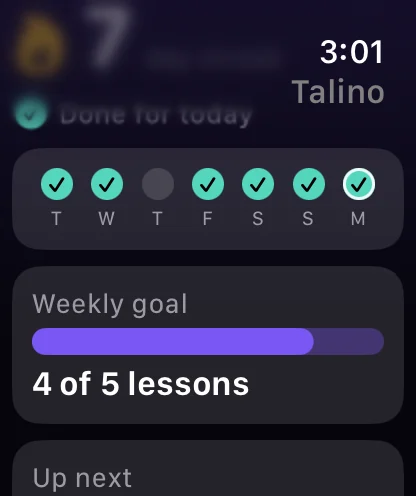
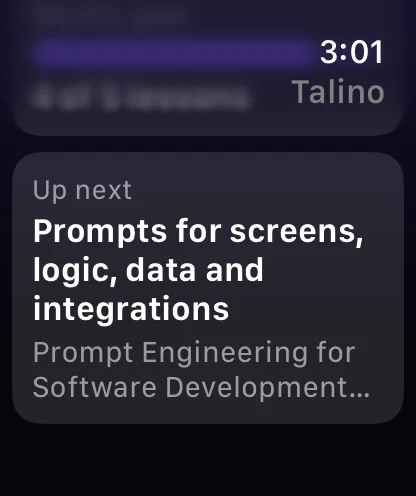
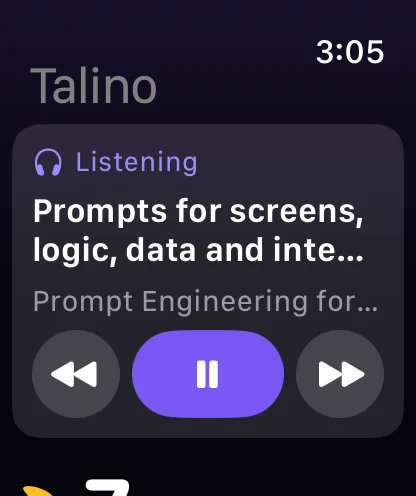
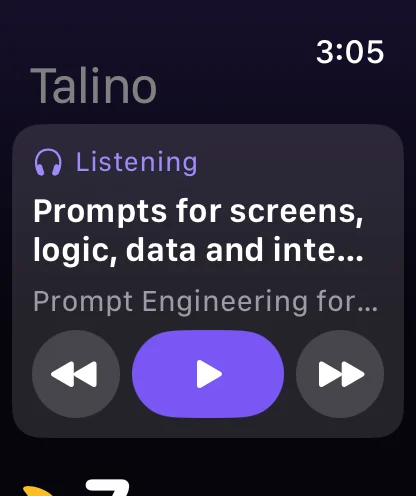
Your streak and the last seven days, your weekly goal and your next lesson, with a complication for the watch face. While the phone reads a lesson aloud, the watch is a remote: pause, and back or forward a sentence.
58 courses on working with AI, in short lessons that read aloud, with quizzes and projects your coach reviews. Then a résumé, a portfolio and a career tracker built from what you finish. For developers, freelancers, teachers, career changers and first-timers.


Free starter course · No account needed · Works offline · iPhone, iPad, Apple Watch and iPhone Duo
Core The five you’ll use most
The starter course, three coach chats a day and the career tools are free. Talino Pro opens every course.
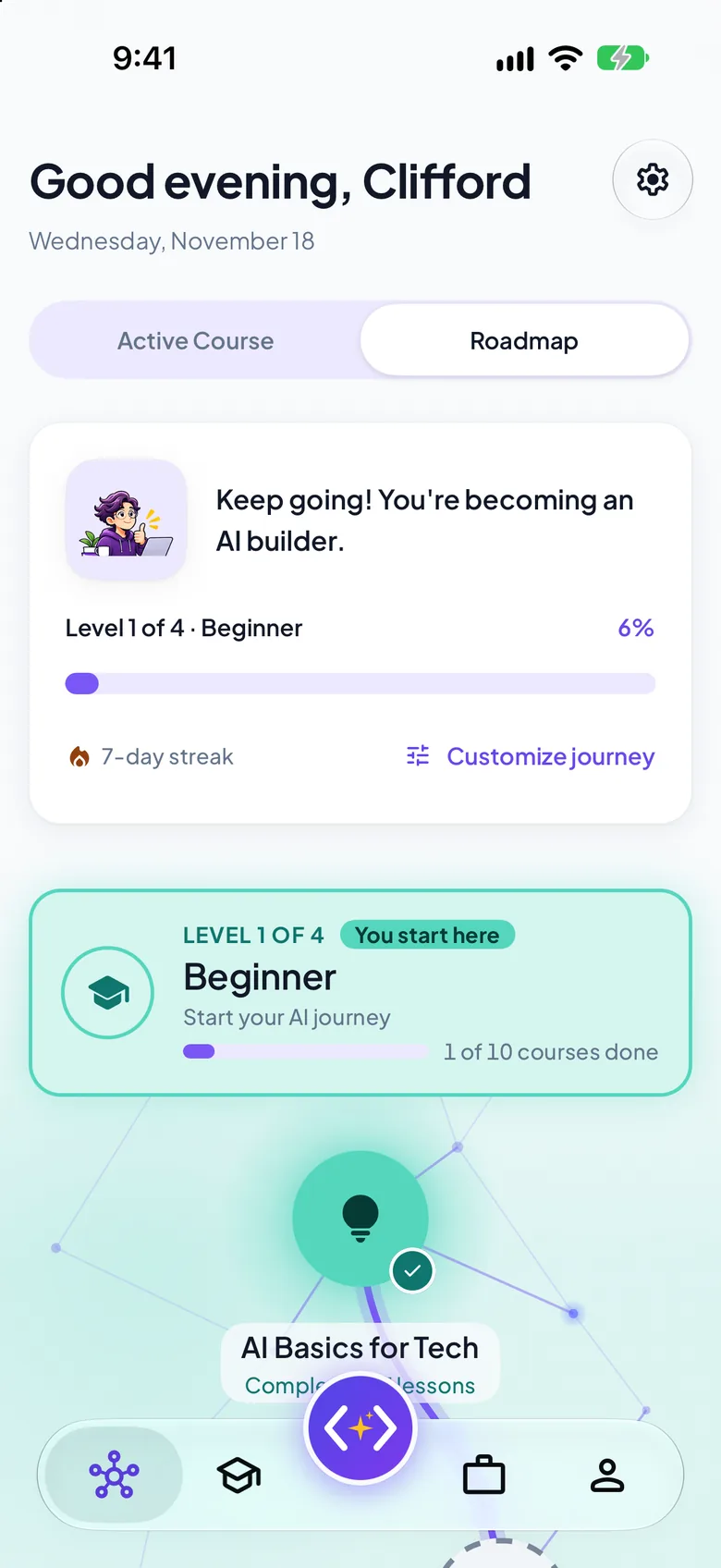
58 courses in the order that builds skills, drawn as a network across four levels. Finish them all to earn the AI Expert certificate.
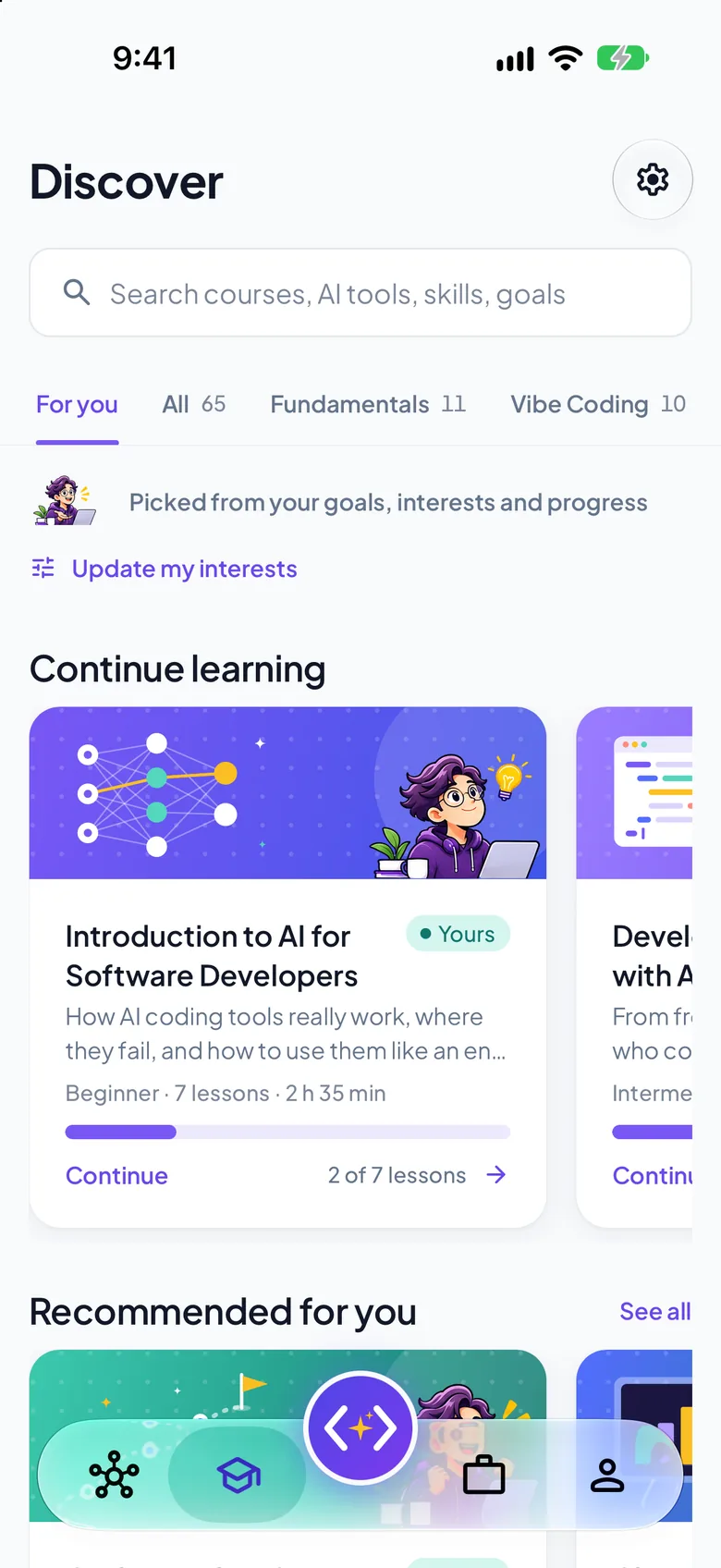
Browse by level, category or AI tool, filter, and follow a learning path. AI Basics for Tech is free.
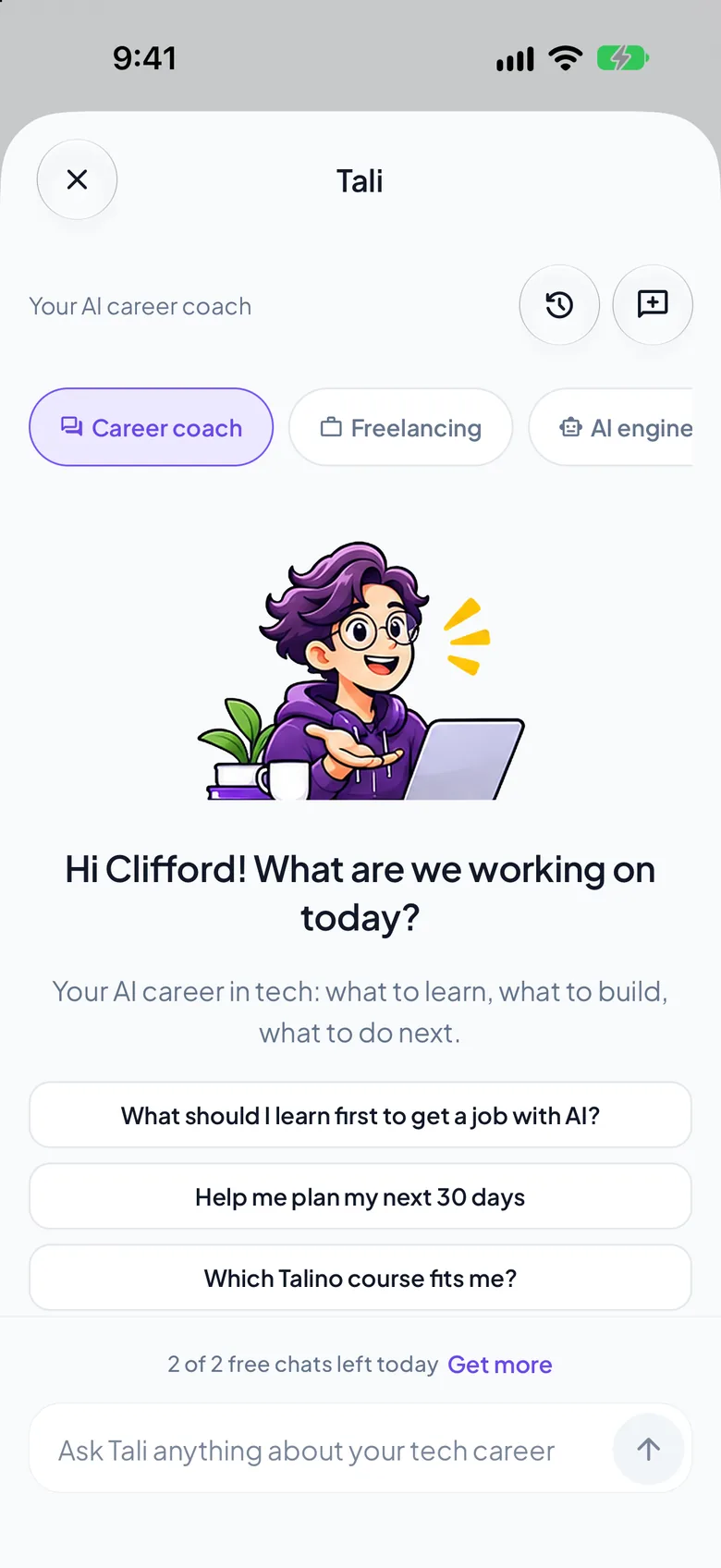
Tali or Tala answers, reviews your projects and plays the interviewer. 3 free chats a day, unlimited with Pro.
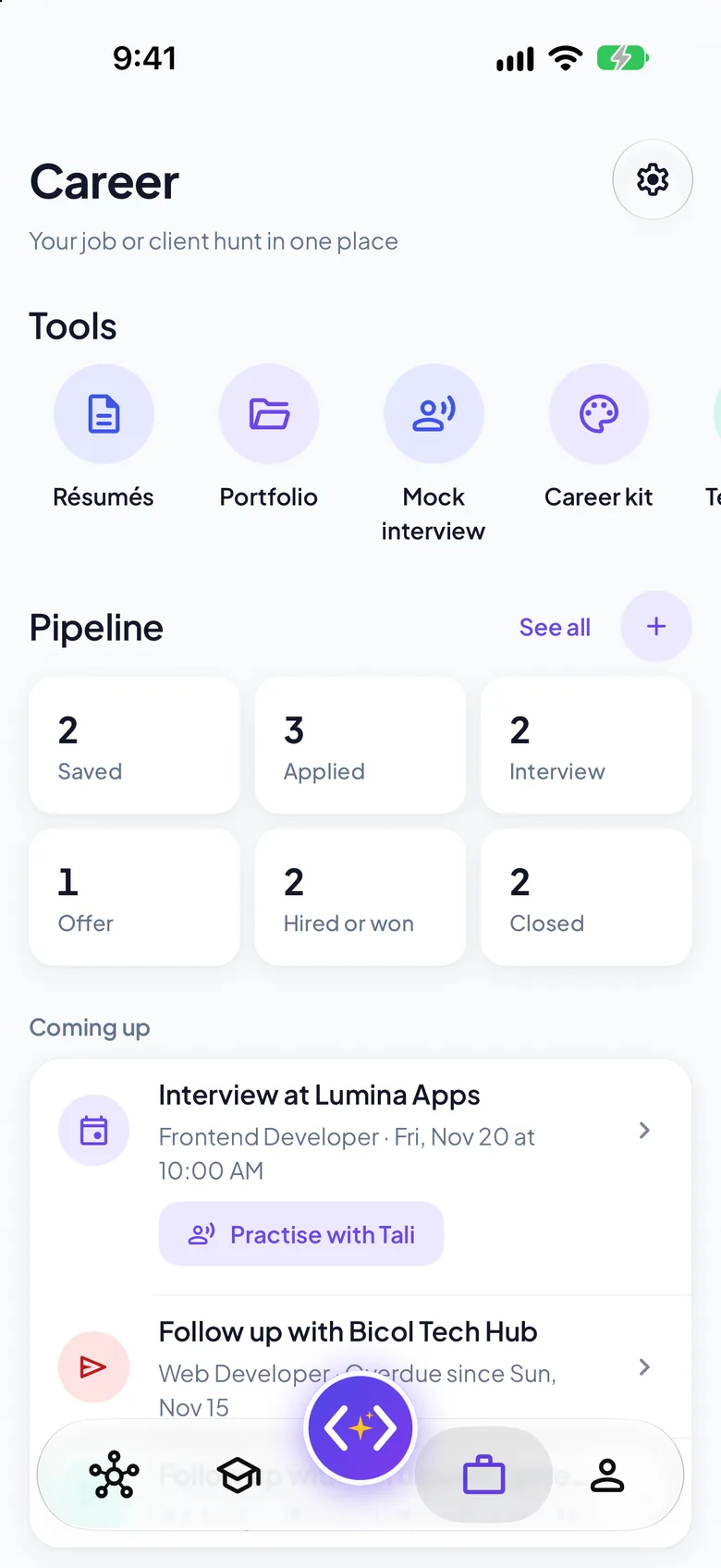
A tracker for jobs and clients, a résumé and a portfolio built from what you finish.

Finish every lesson and pass every project review to earn one, signed and dated, ready to share as a PDF or add to LinkedIn.
Courses 58 courses, 620 lessons
Seven areas, each from beginner to advanced. Start with AI Basics for Tech, which is free, or take the short check and let Talino pick.
How to ask AI for software, read what it makes, and fix it together.
Turn an idea into a working website or mobile app by directing AI.
ChatGPT, Claude, Claude Code, Cursor, Codex, Copilot and Gemini.
Planning, design, backend, data, review, testing and deployment.
Coding agents, MCP, context engineering, architecture, production.
Launch, price, sell and grow what you build, as a product or a freelancer.
For developers, educators, analysts and job seekers bringing AI into the job.
Five quick questions suggest your first course. It takes under a minute and it is free.
Also included
AI Basics for Tech, its project and its certificate, plus the career tools, are free with no time limit and no account.
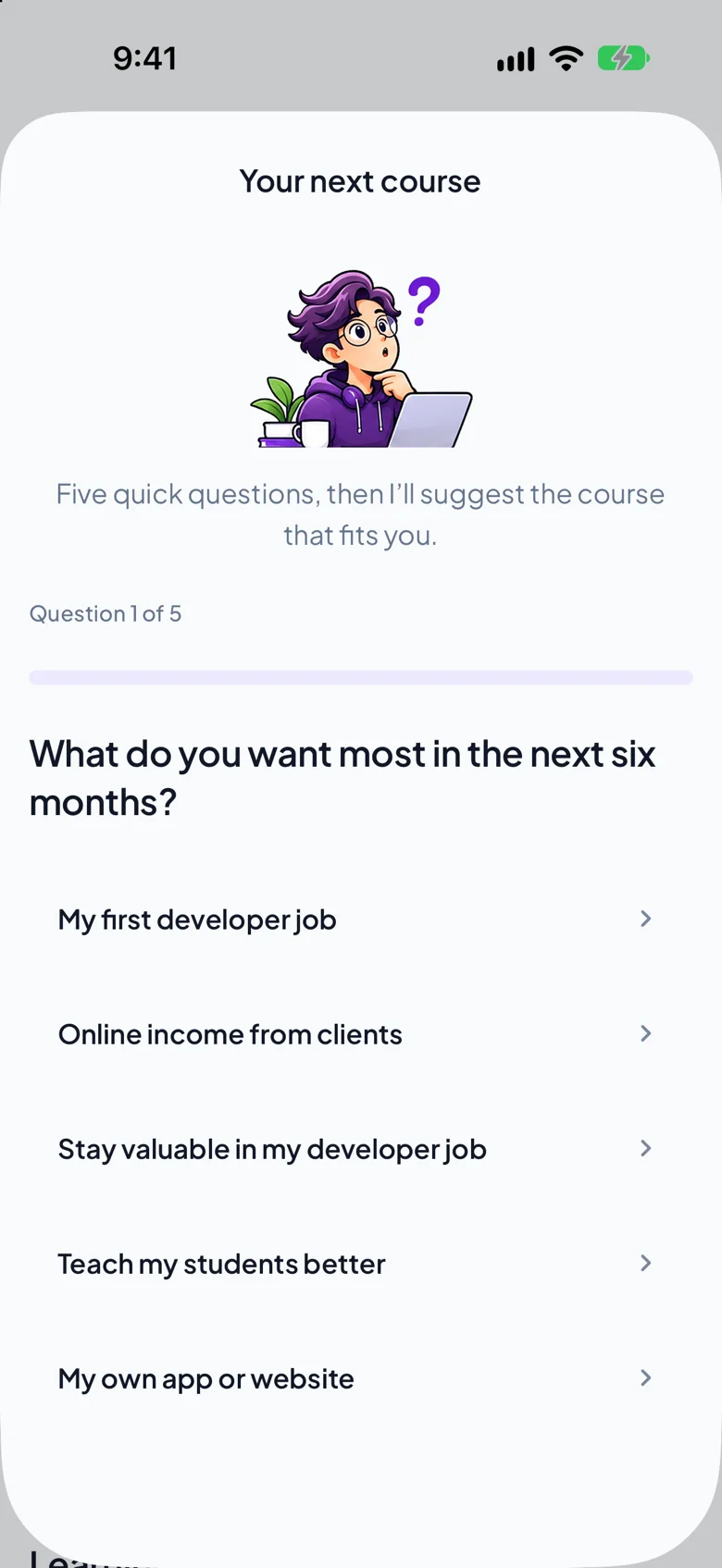
A short check that suggests your first course, whether you have never coded or have coded for years.
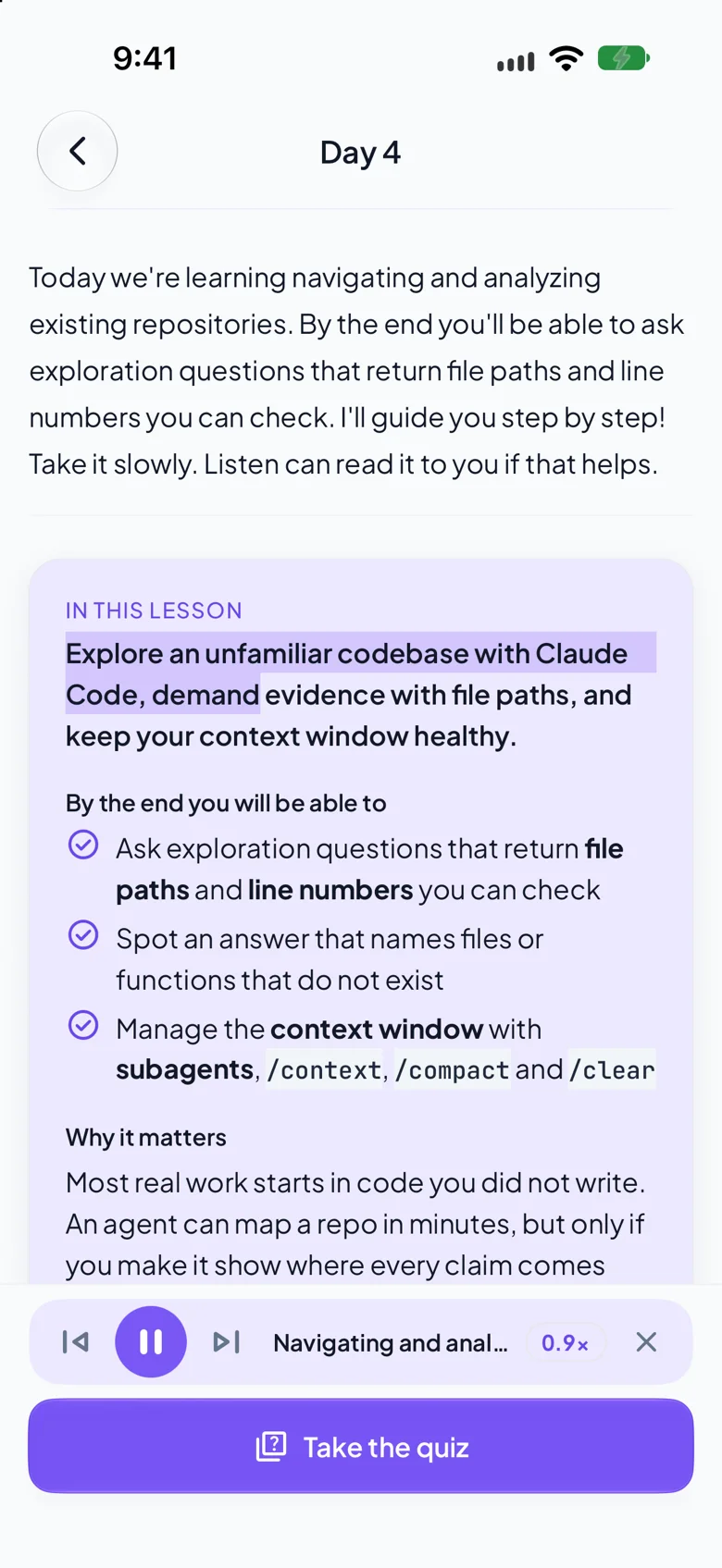
Press play and the lesson is read aloud, with the words lighting up as they are spoken.
Goals for applications, clients and income, and a pipeline from saved to hired.
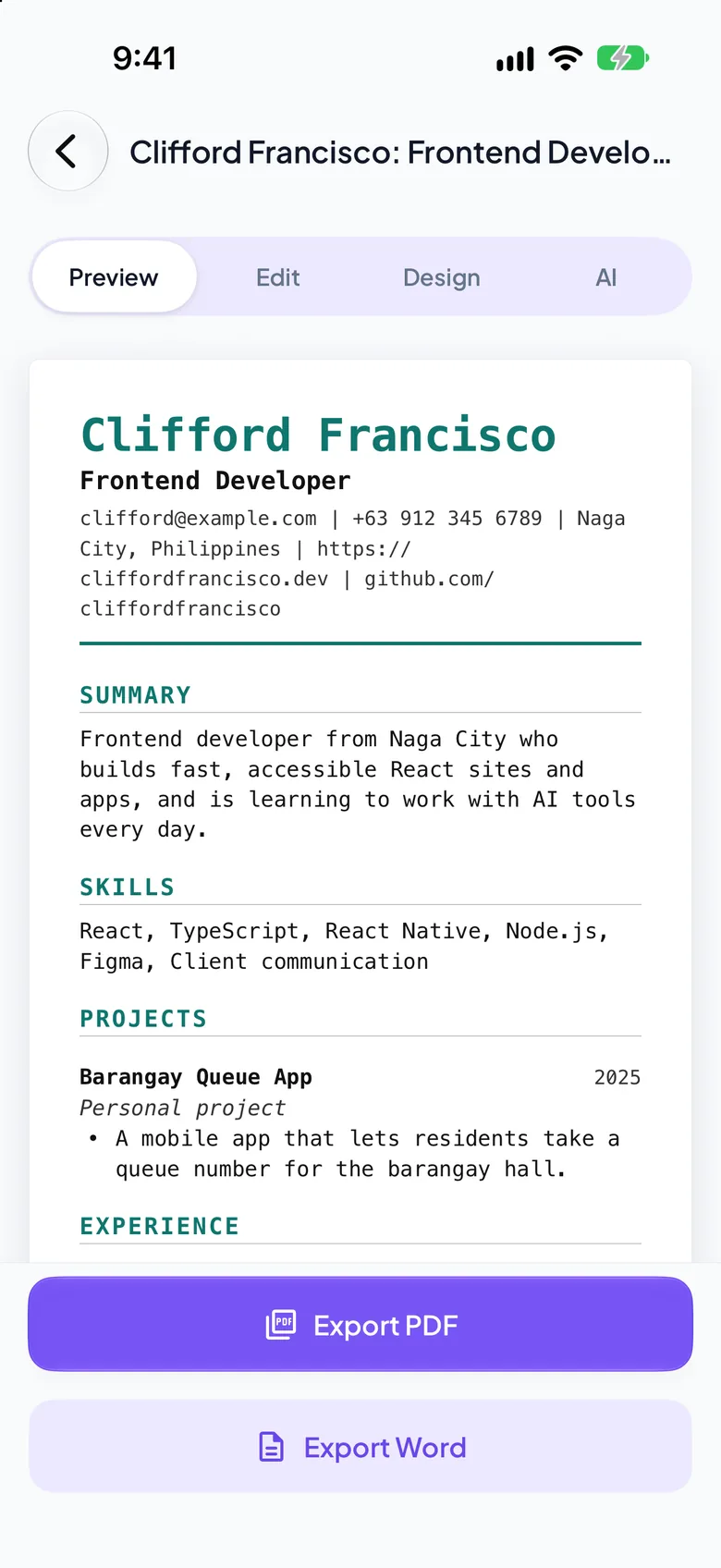
A clean single-column résumé from your profile and projects. Export it as a PDF or a Word file.
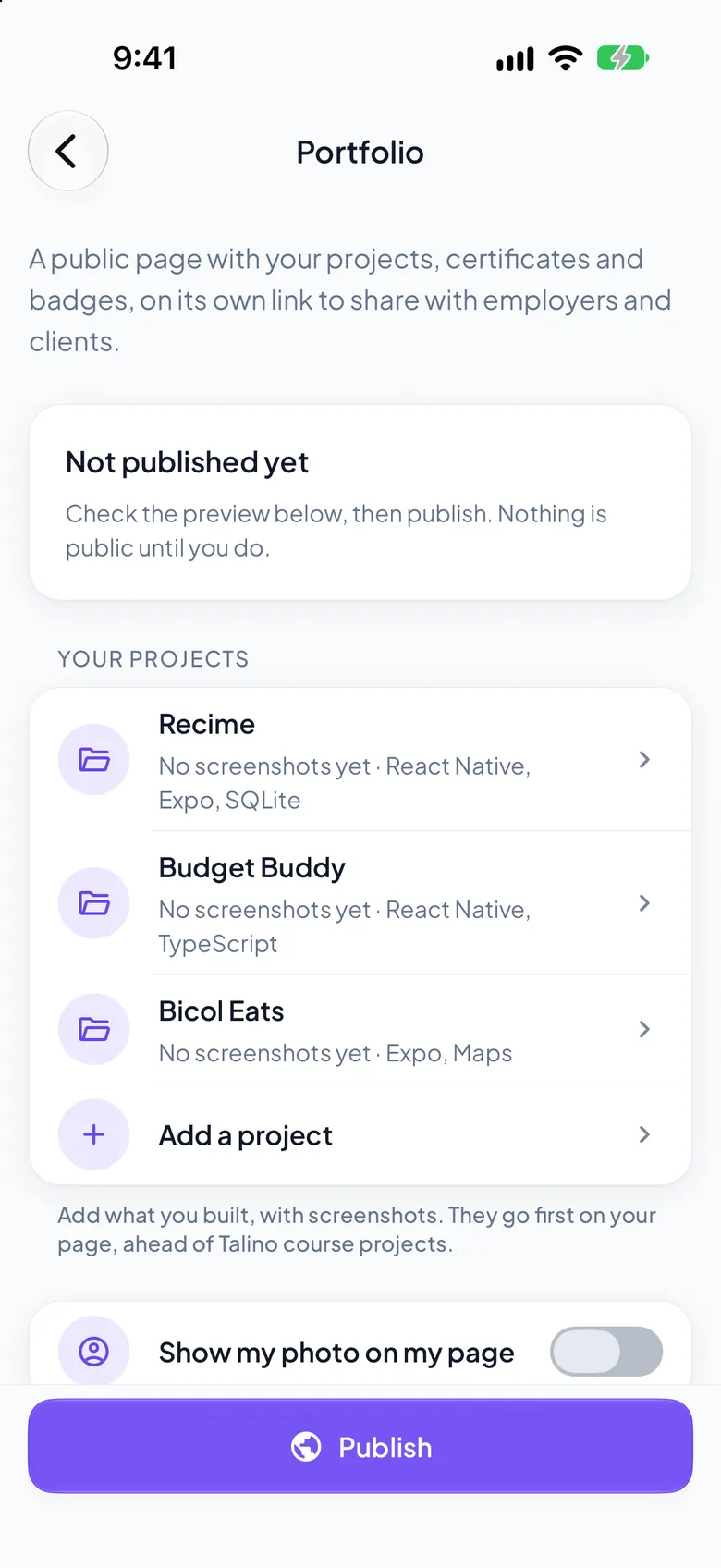
Your projects, certificates and badges on their own link. Nothing is public until you tap Publish.
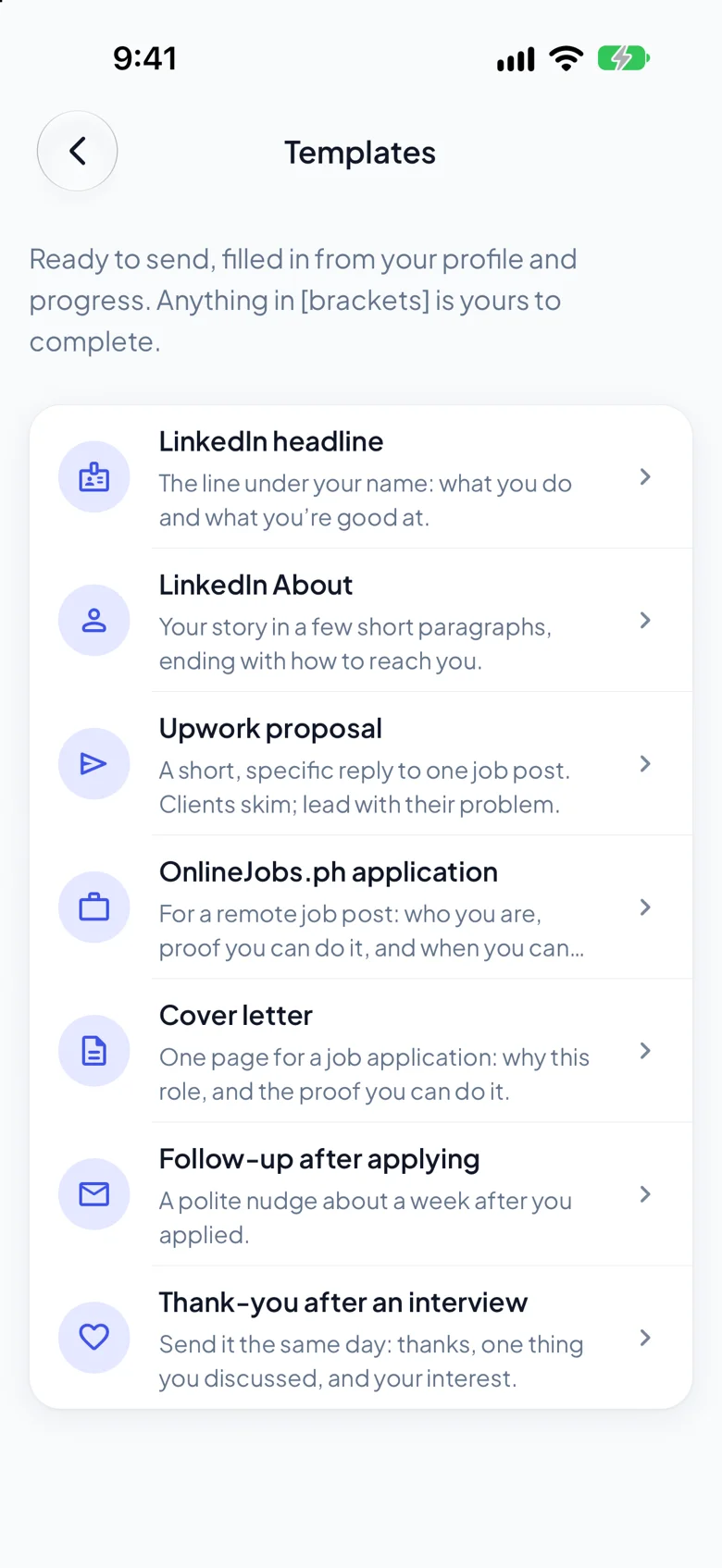
A LinkedIn headline, an Upwork proposal, a cover letter and a follow-up, filled in from your profile.
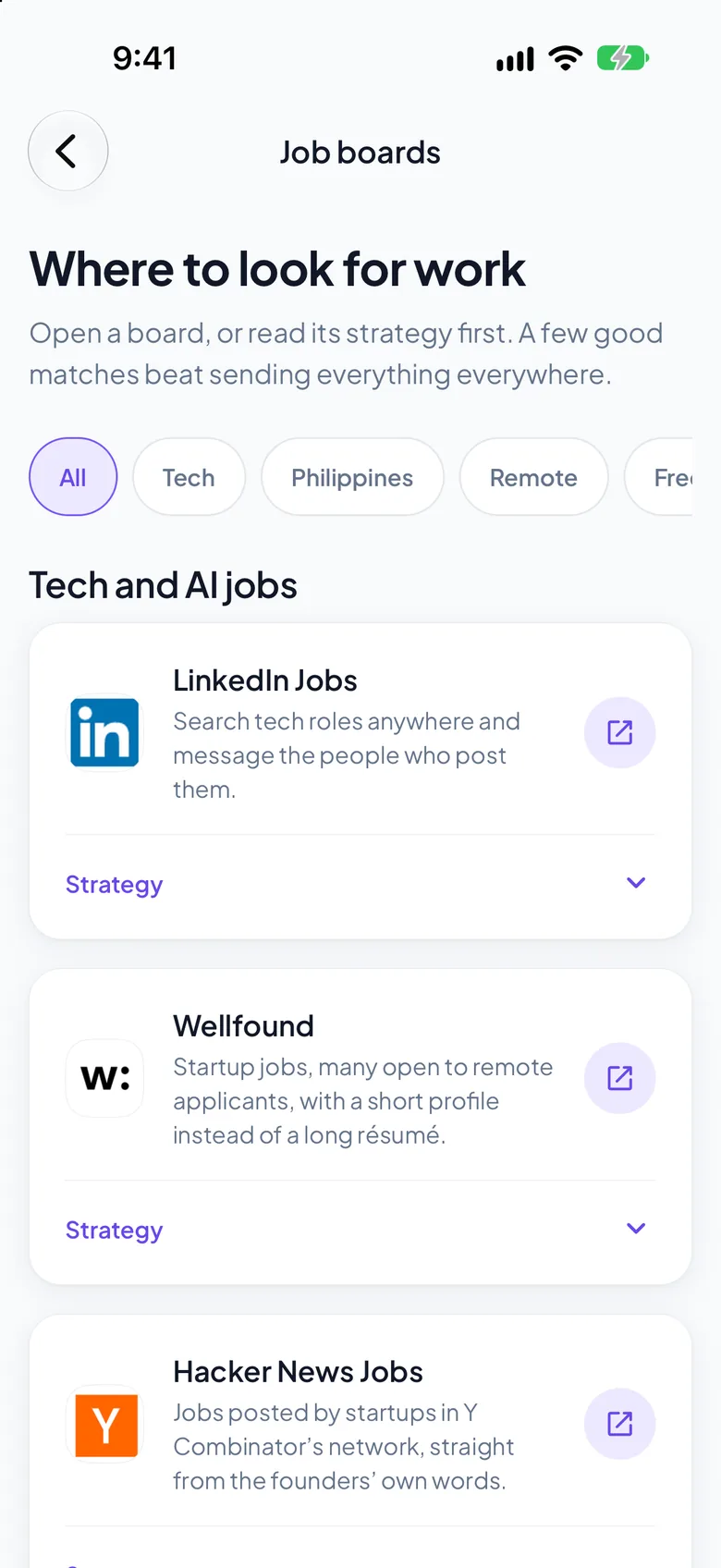
Where to look for tech, remote and freelance work, and how to use each one. Never pay for a job.
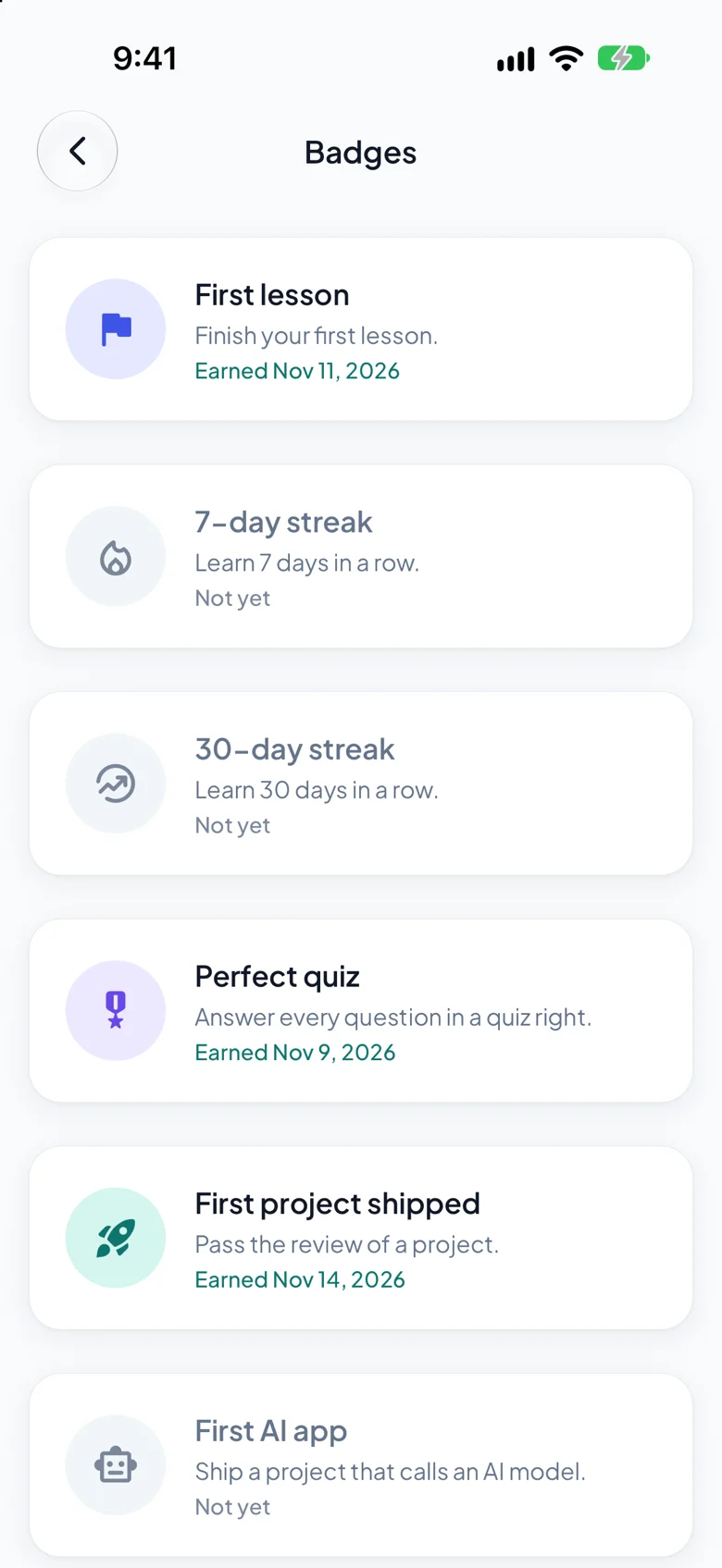
A badge for every milestone, a streak for every day, a weekly goal you set.
Your streak and the last seven days, your weekly goal and your next lesson, with a complication for the watch face. While the phone reads a lesson aloud, the watch is a remote: pause, and back or forward a sentence.
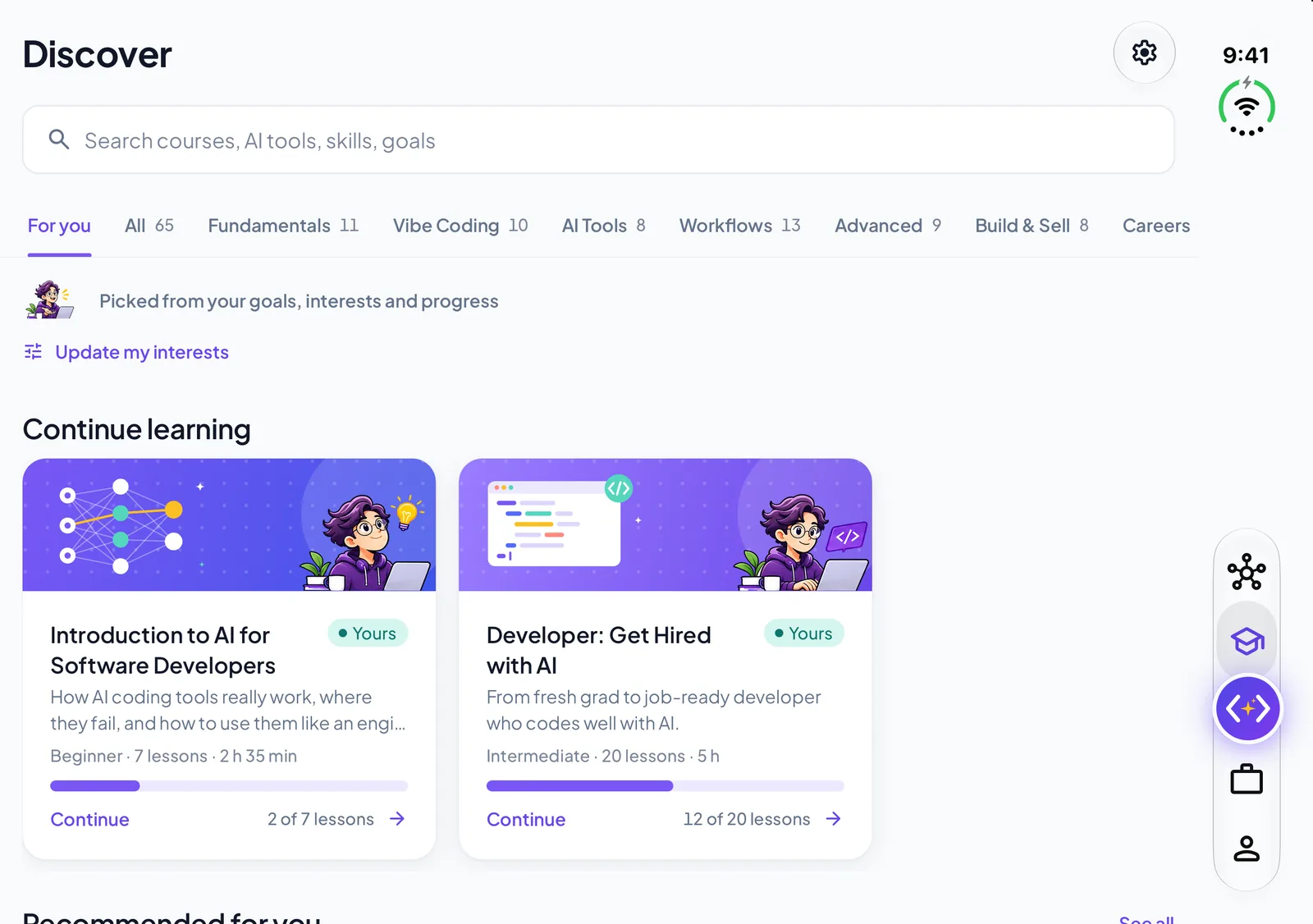
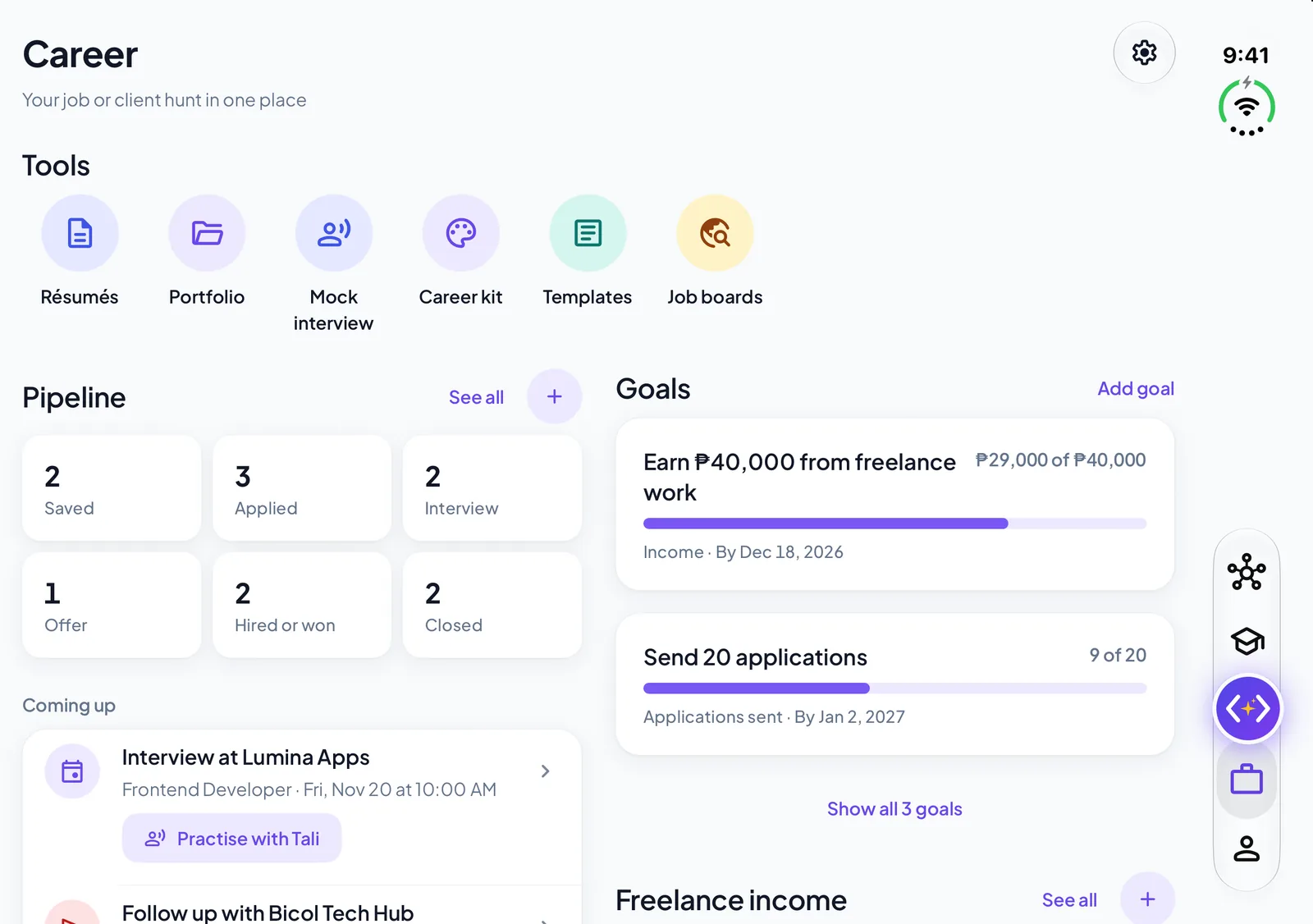
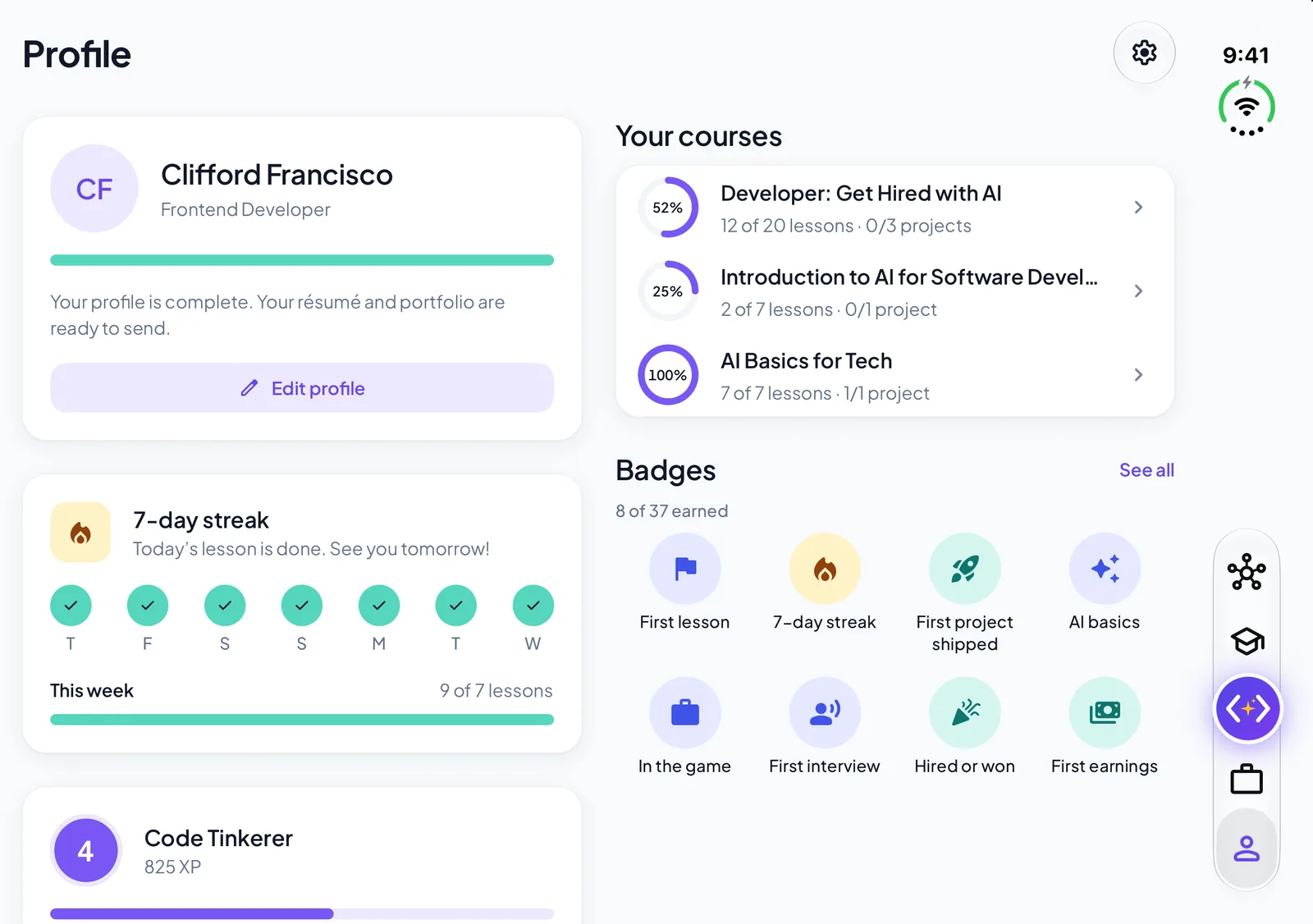
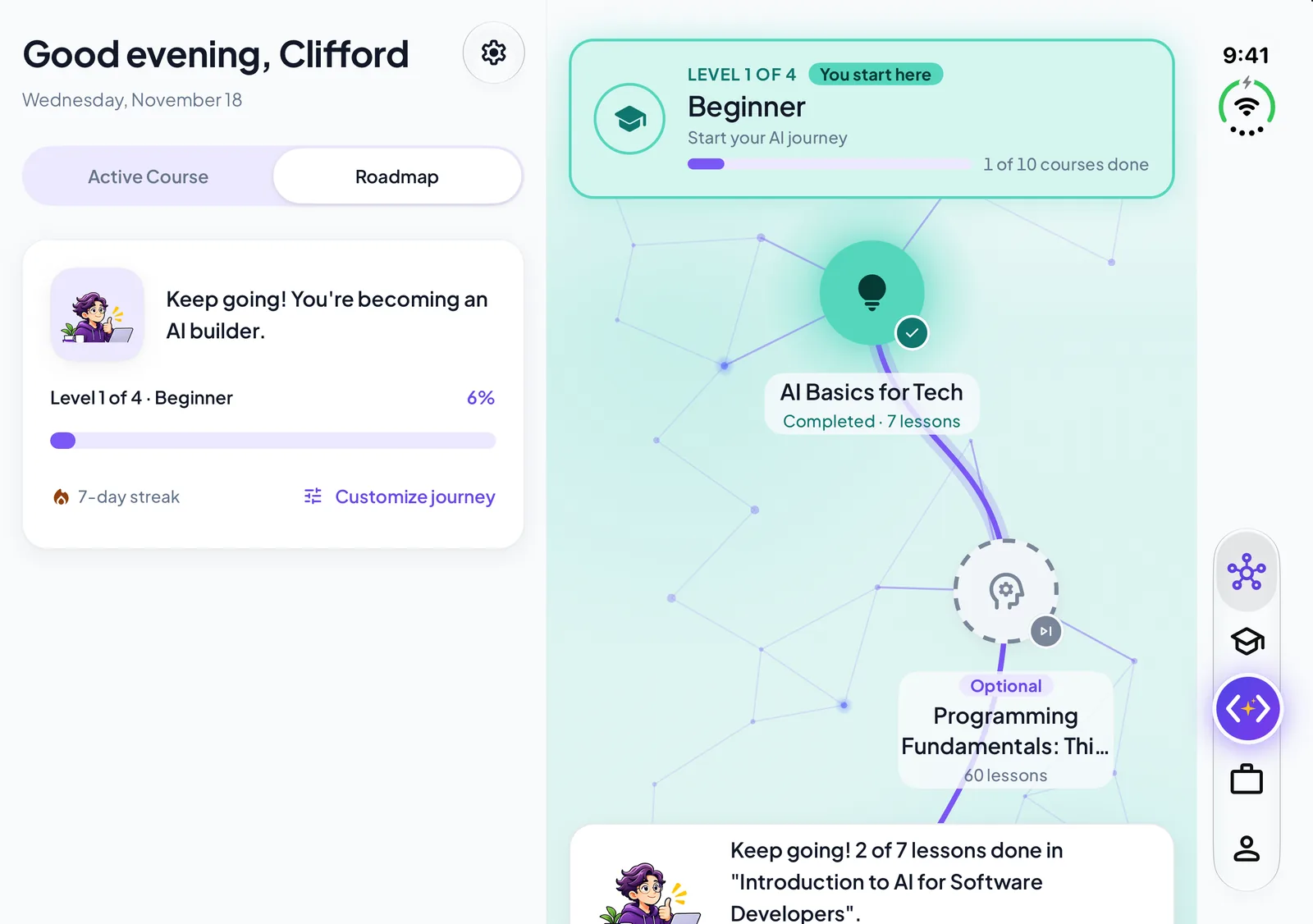
Opened flat, Home is the journey beside its summary, and Discover, Career and Profile use two columns, with the vertical tab bar and Tali’s round button.
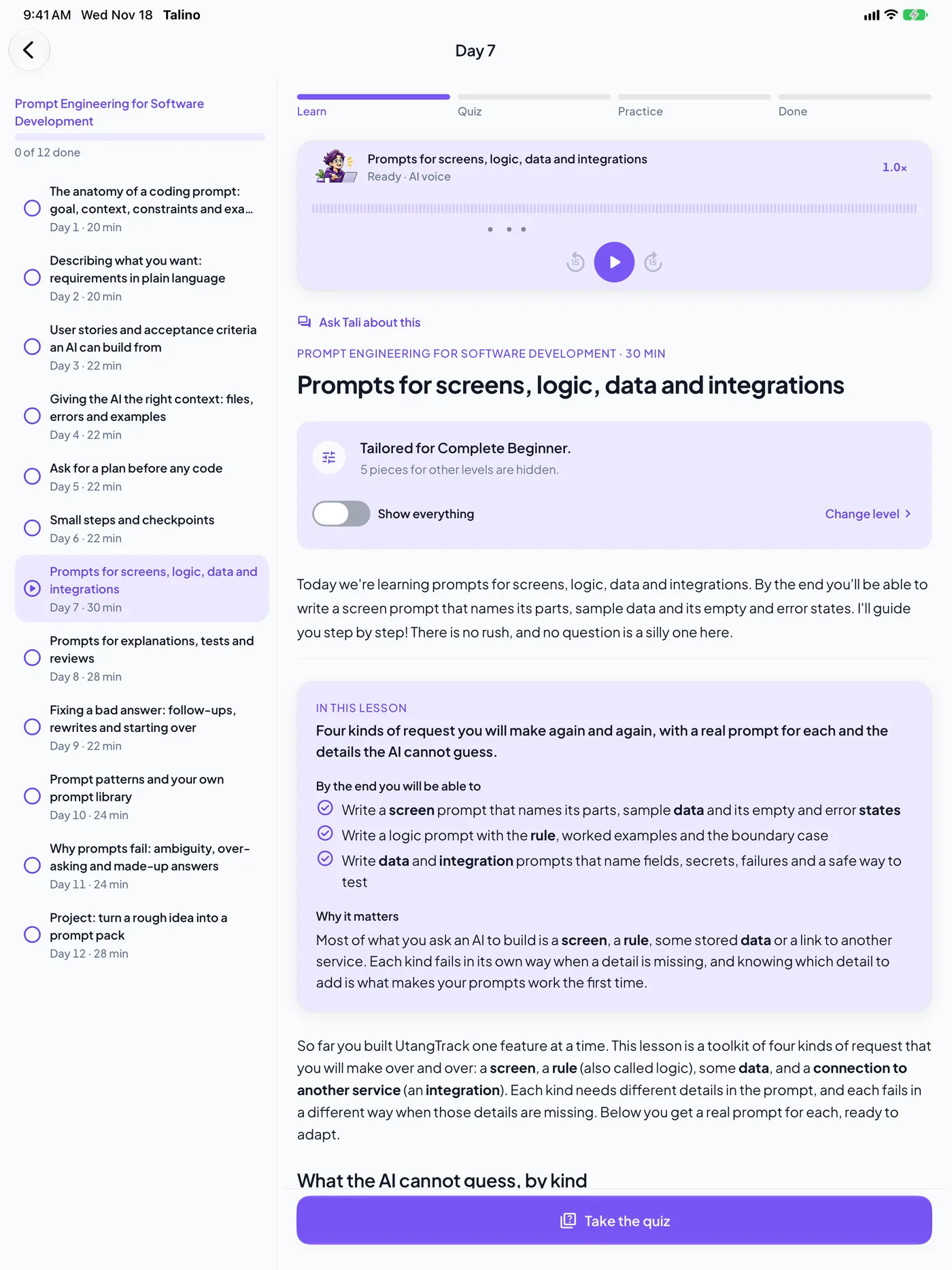
Every day of the course stays in view on the left while you read or listen on the right.
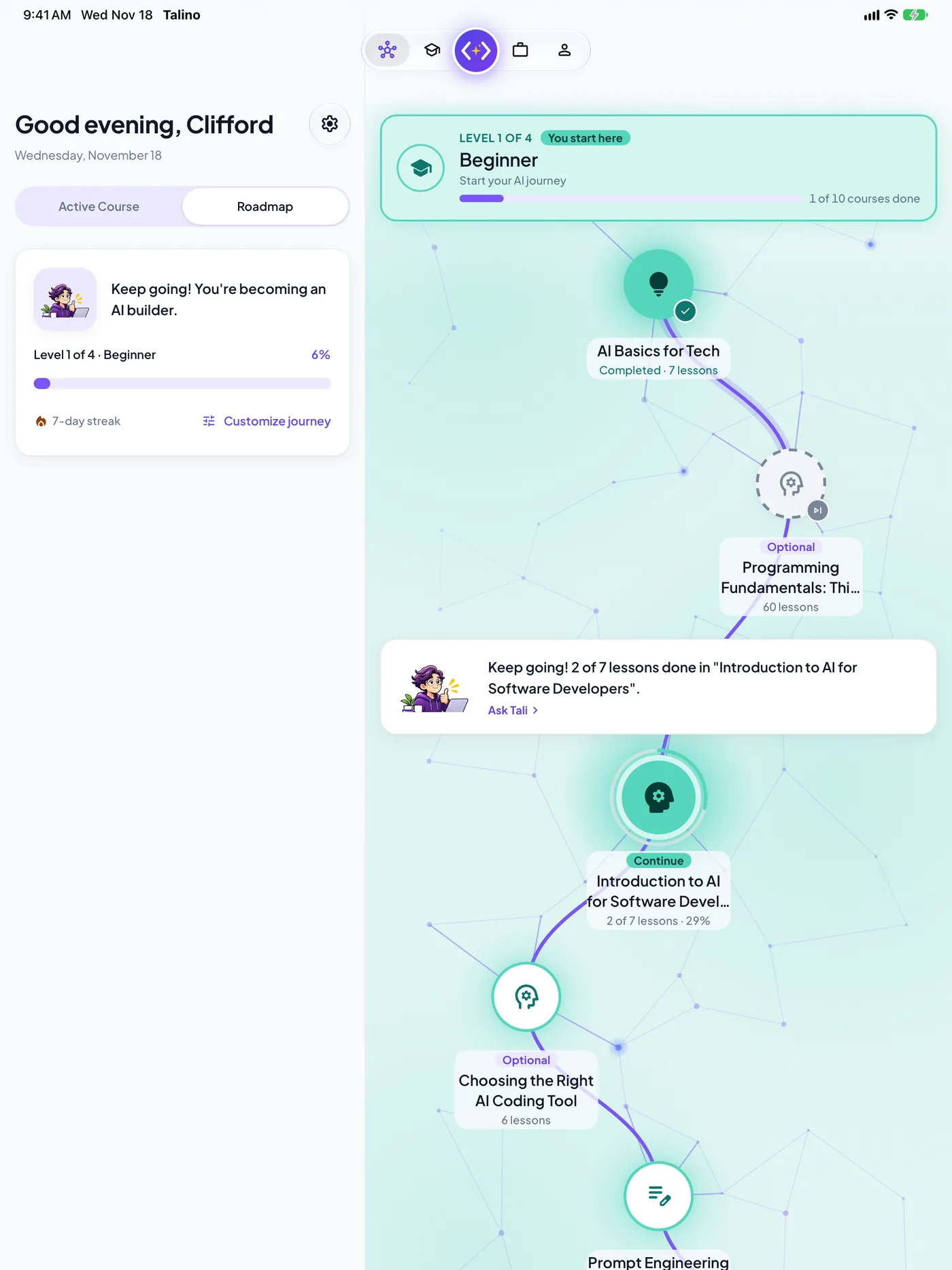
Home shows where you are and what is next on the left, and the whole learning journey on the right.
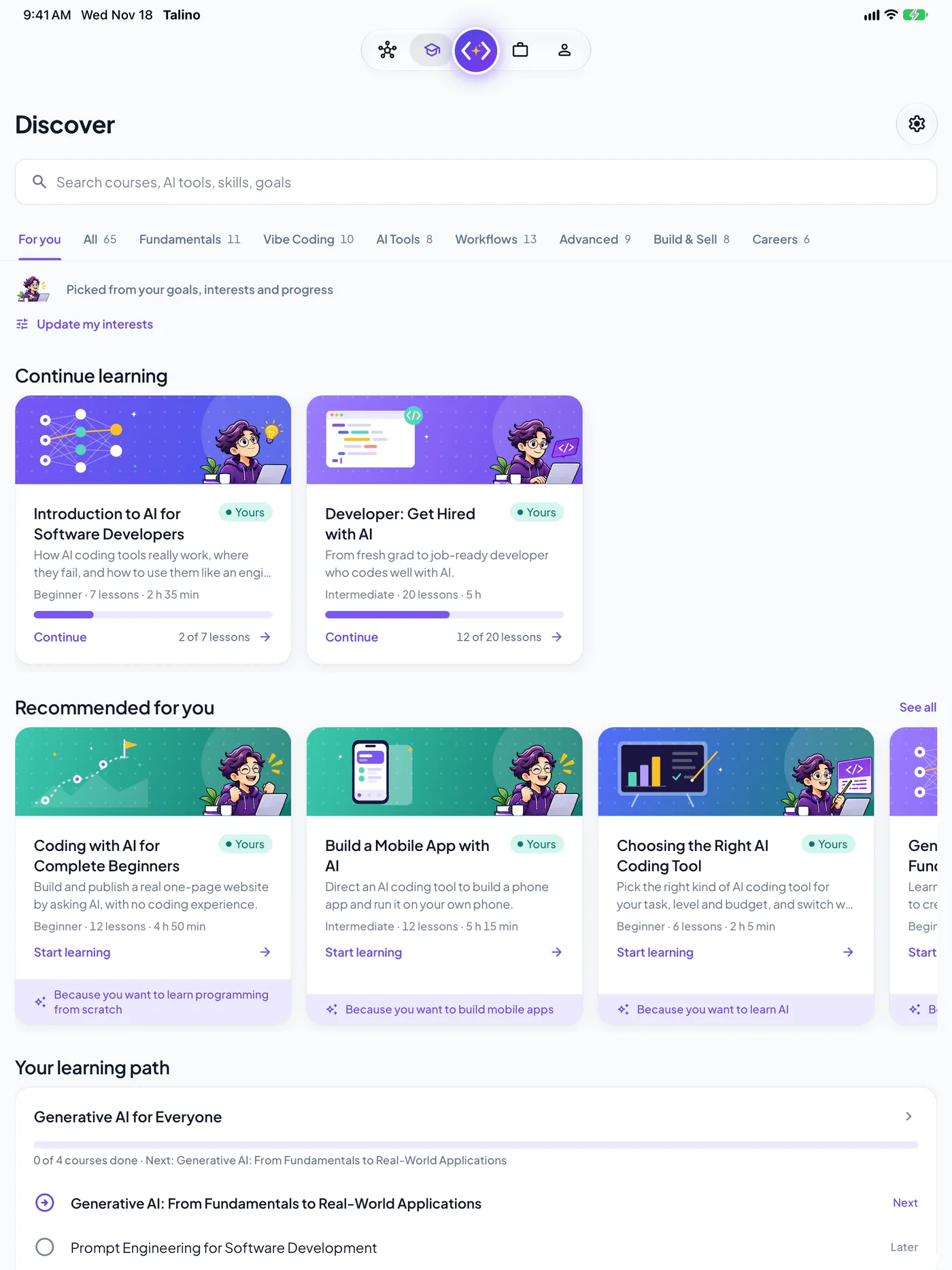
On the larger iPads the level, AI tool and progress filters sit beside the course cards.
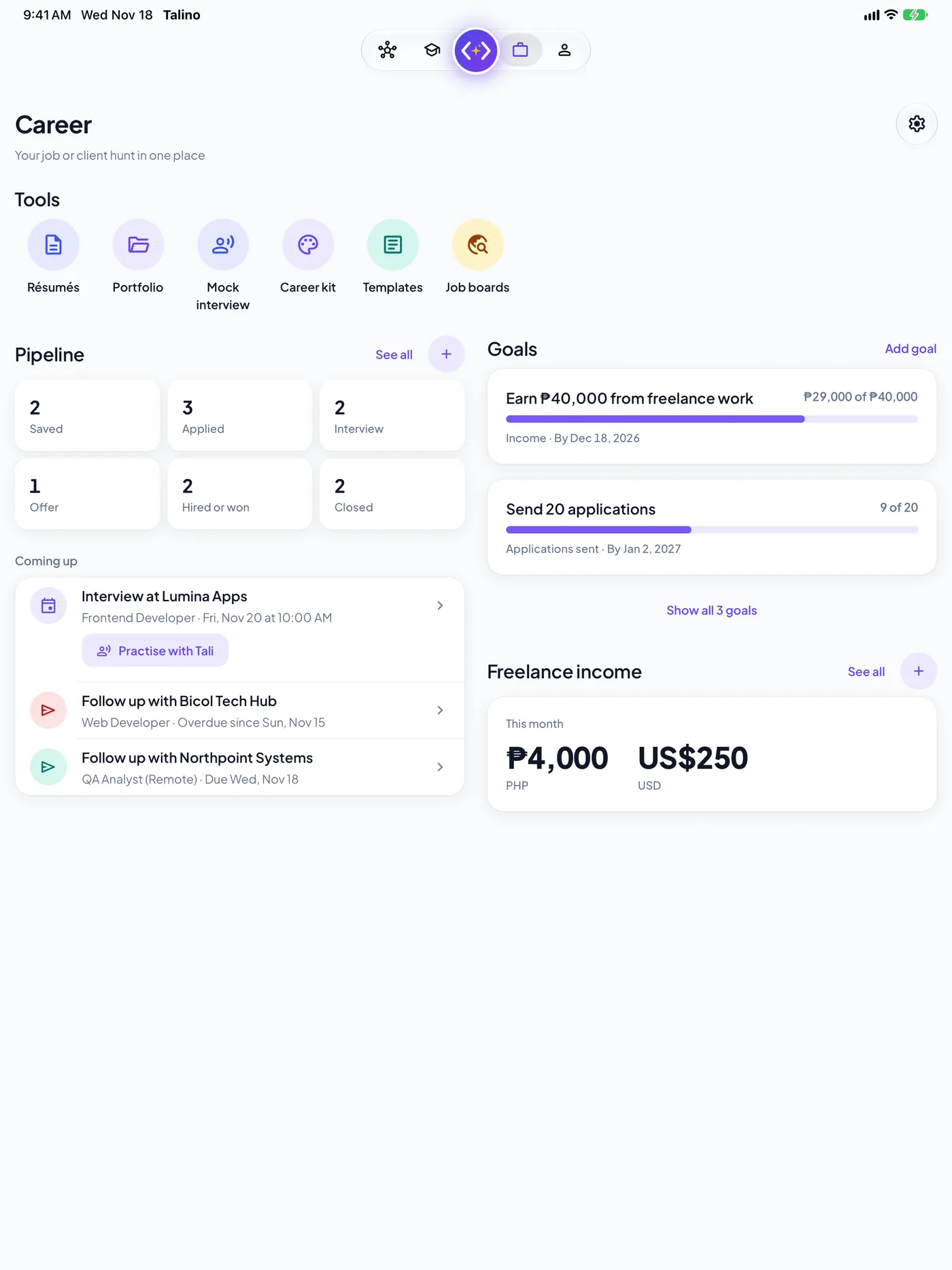
Tools, your pipeline and what is coming up on one side, goals and freelance income on the other. Profile uses two columns too.
One universal app: on an iPad it uses the width, with the course outline beside the lesson and two columns on Career and Profile.
Pro Talino Pro
Everything in Free, plus what’s below. One subscription, no prices on individual courses.
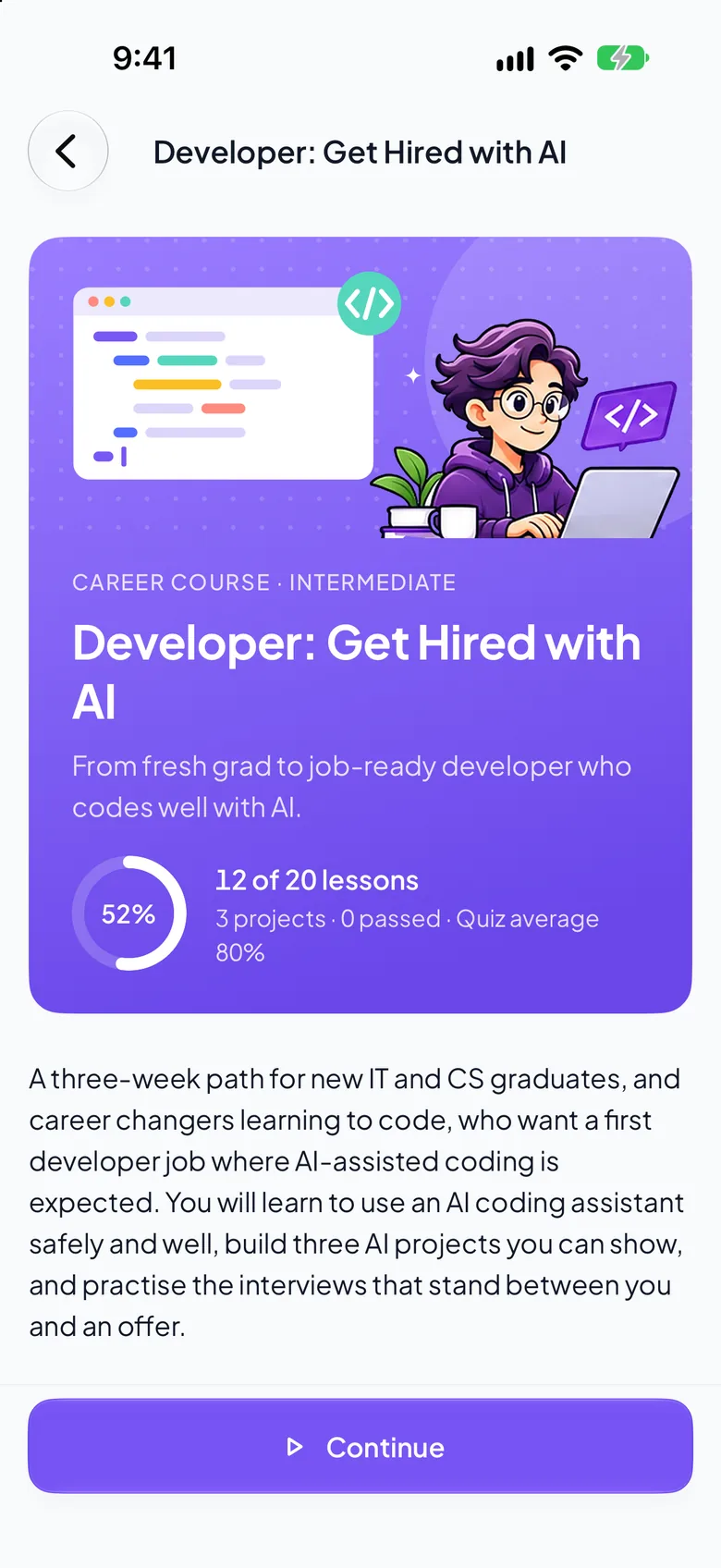
All 58 courses, with 103 projects your coach reviews, and new ones as they come.
Unlimited under fair use, up to 100 new chats a day, plus the interviewer, code reviewer and proposal reviewer roles.
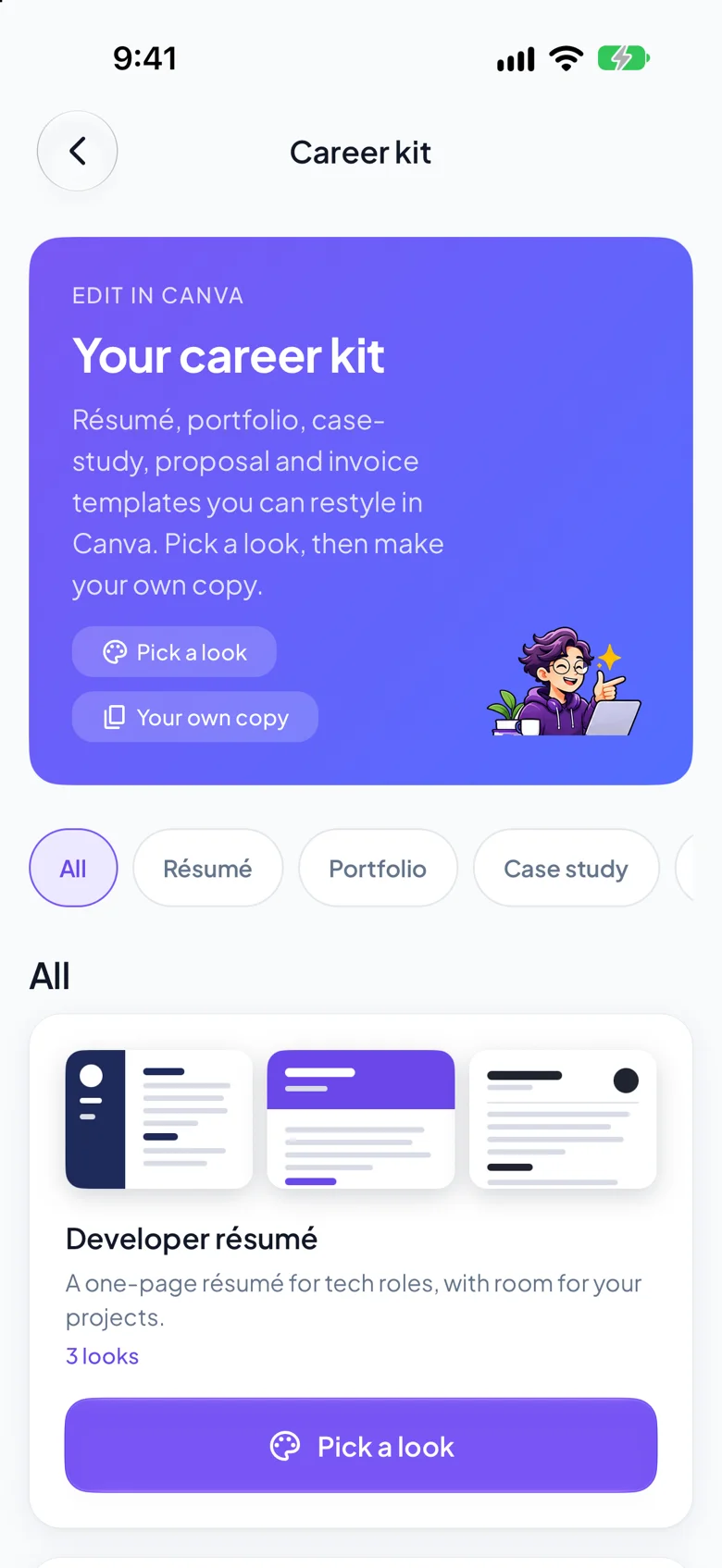
Editable résumé, portfolio, case-study, proposal and invoice templates for Canva.
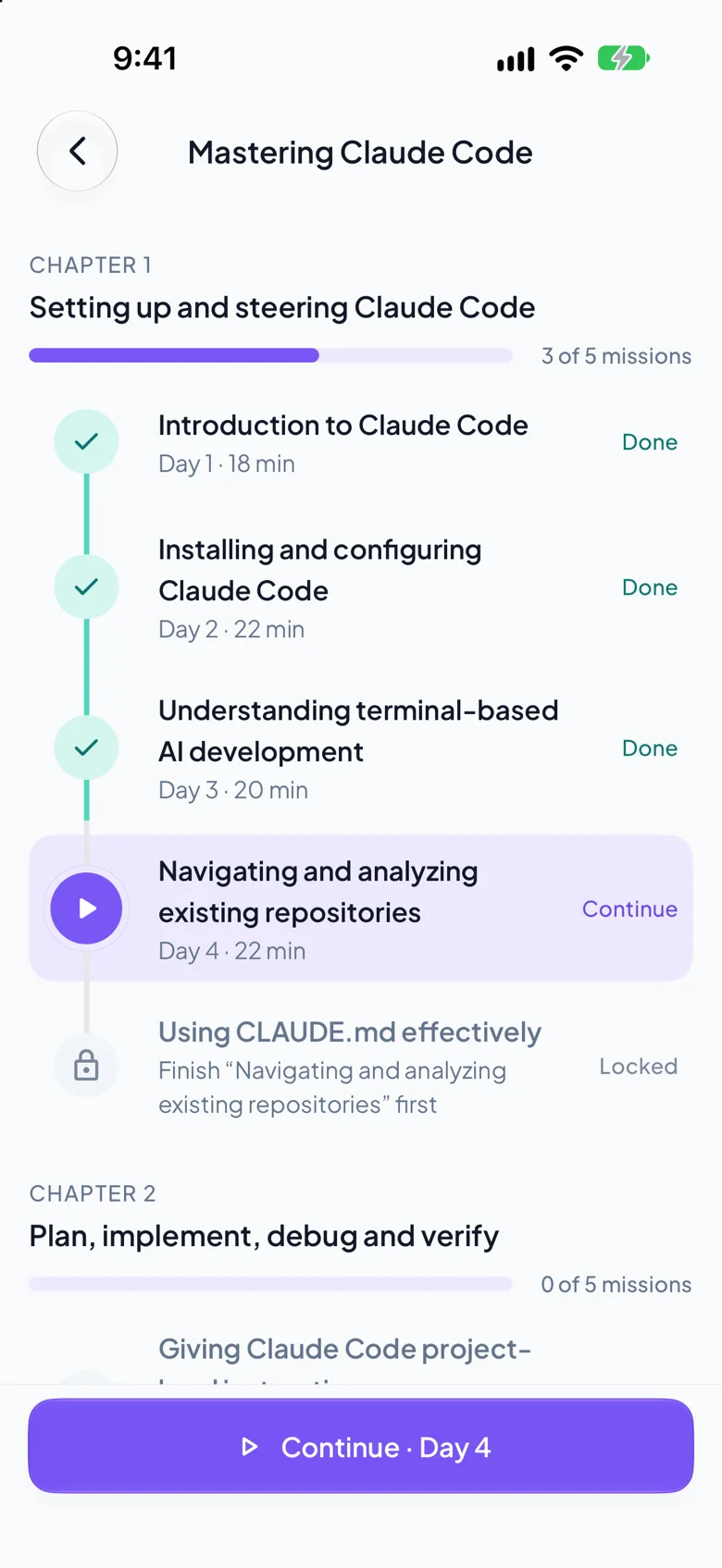
Chapters, missions, your progress and the next lesson, so you always know what to do next.
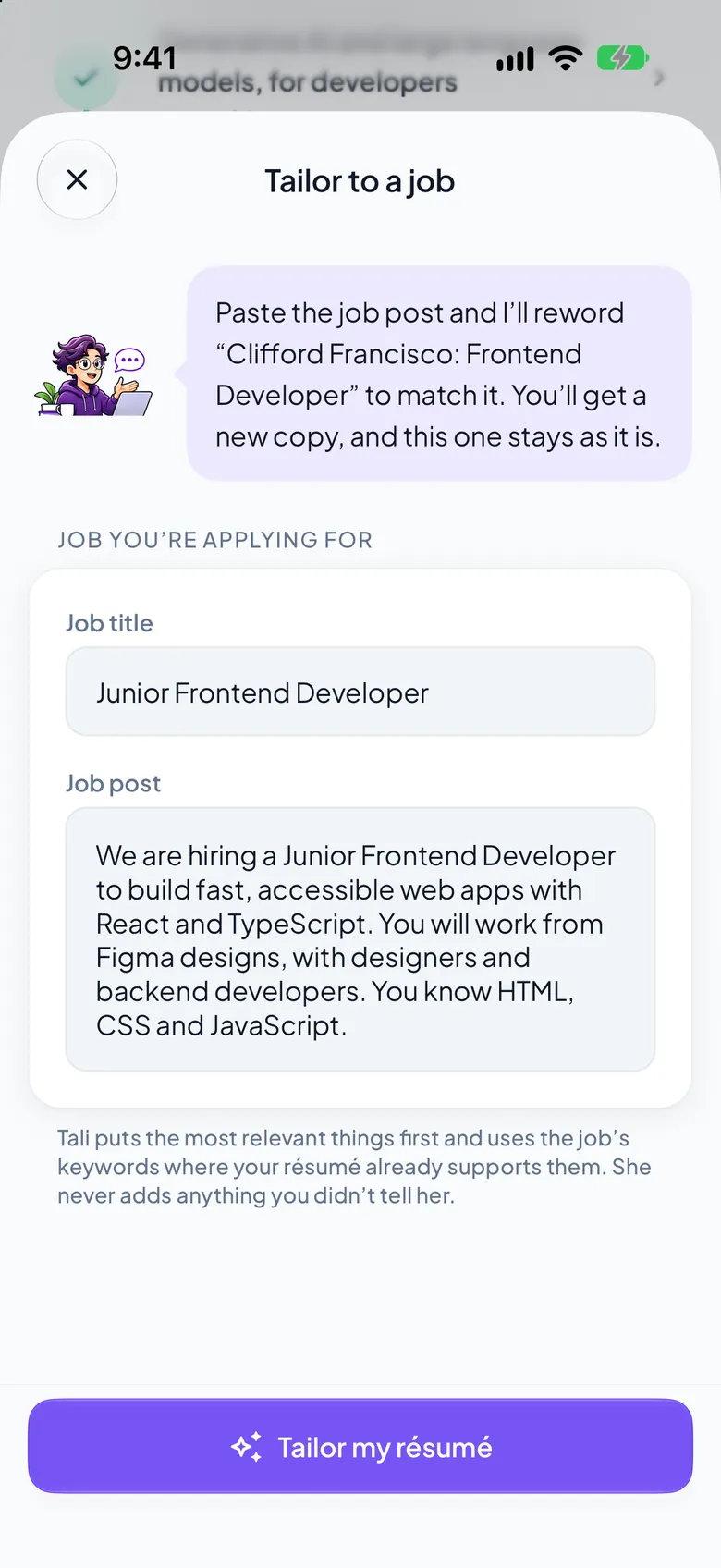
Paste a job post and your coach tailors your résumé to it, then improves it with you. Import the one you have.

Finish a course and pass its project reviews. Share it as a PDF or add it to your LinkedIn profile.
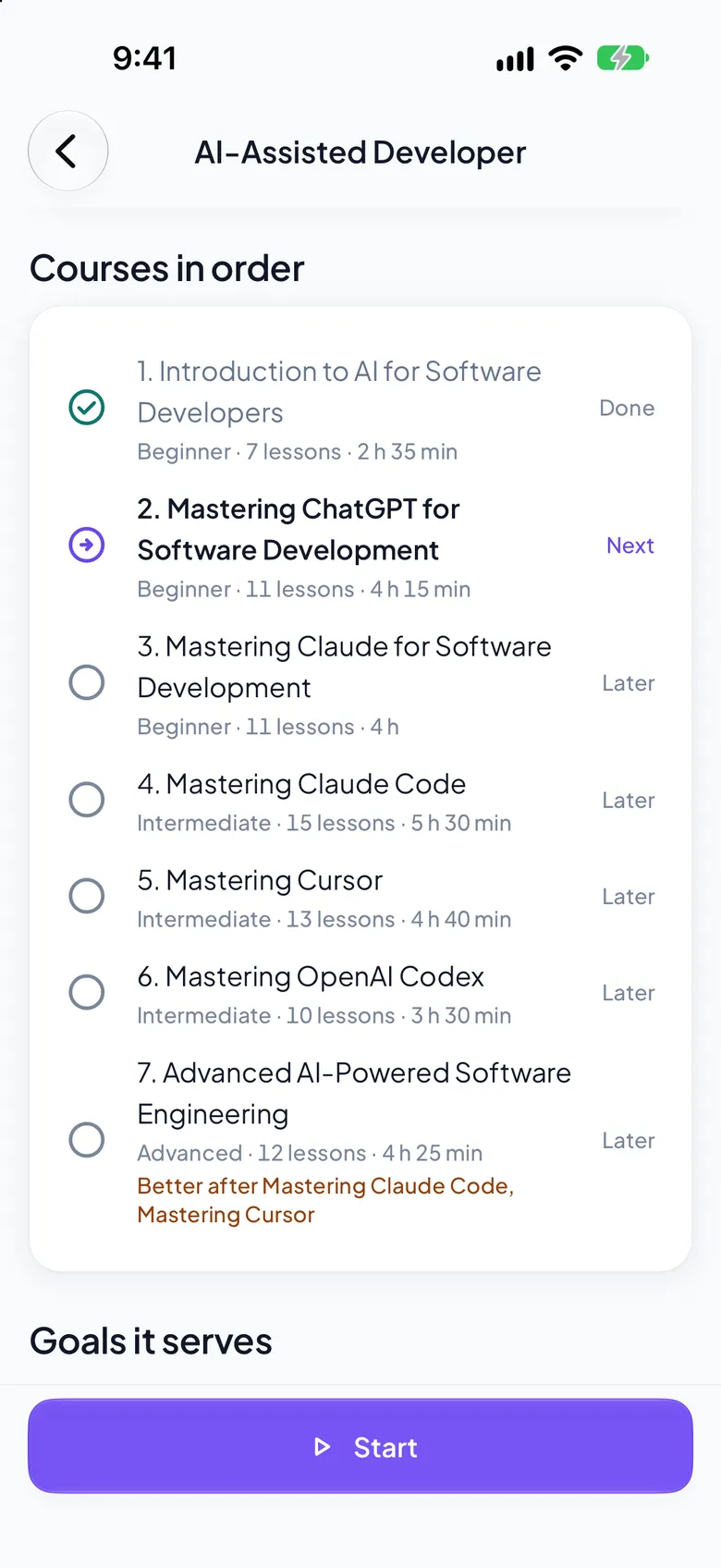
The seven-course AI-Assisted Developer path takes you from ChatGPT and Claude to Claude Code, Cursor and Codex, in order.
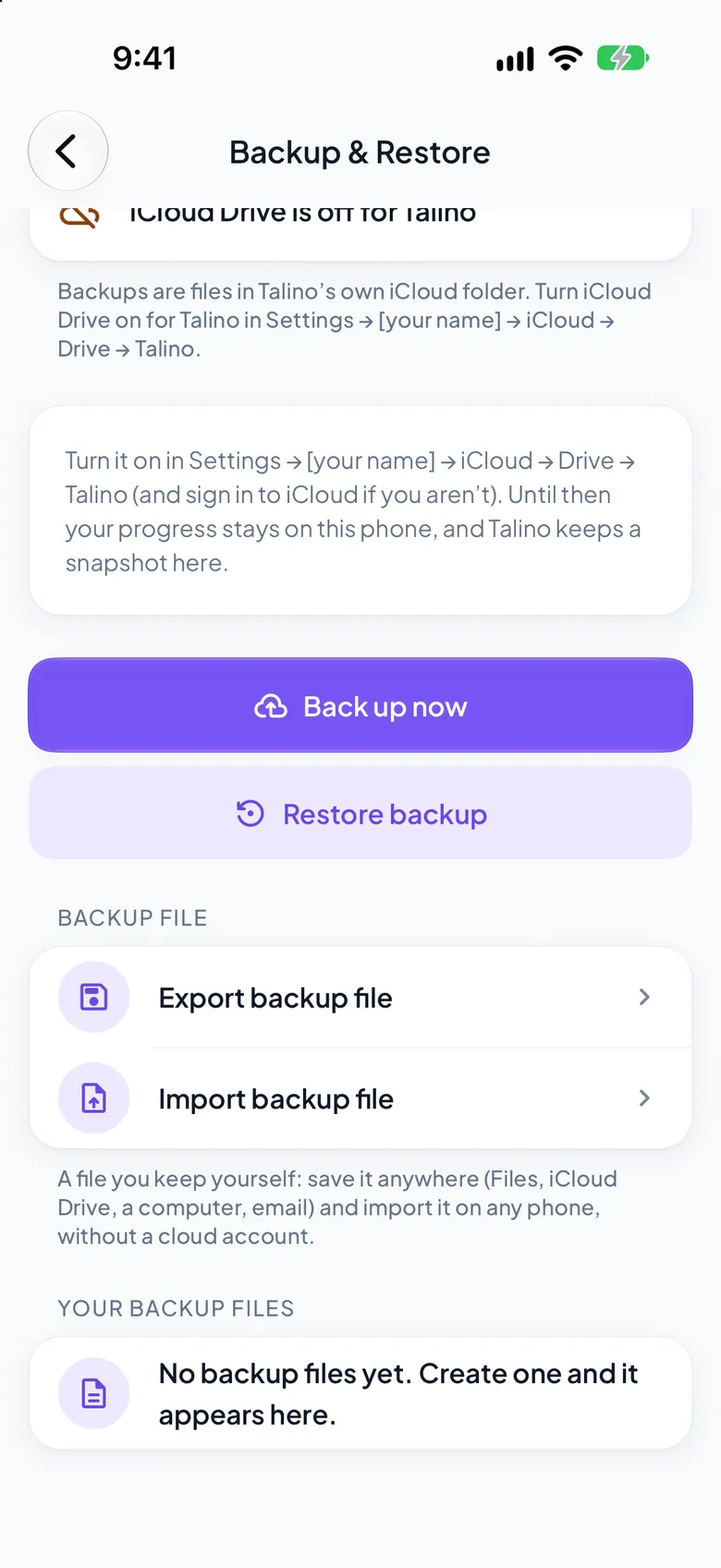
Save your progress as a file and restore it on any phone. Automatic backup stays free.
Subscribe inside Talino, with the price in your currency shown before you do. Cancel any time in your phone’s settings. The starter course and the career tools stay free. If Pro ends, nothing you made is deleted.
Every screen on this page is the real app, captured in the iPhone, iPad, Apple Watch and iPhone Duo simulators with a made-up learner; the iPad, Apple Watch and iPhone Duo cases are drawn. Coaches Tali and Tala are the app’s own artwork.
Plans Free and Pro
Both include the career tracker, job boards, portfolio, badges and streaks, the AI tools guide, Listen on every open lesson and the résumé builder.
₱199 a week
A low first step
₱449 a month
Cancel any time
₱1,999 a year
Best value
| Where they differ | Free | Pro |
|---|---|---|
| Courses | AI Basics for Tech, the starter course | All 58 courses and mini-courses, and new ones as they come |
| Lessons, quizzes and practice | In the starter course | In every course: 620 lessons |
| Projects reviewed by your coach | The starter project | Every course project (103 in all) |
| Certificates | The starter course’s | One for each course you finish |
| Chats with Tali or Tala | 3 new chats a day | Unlimited (fair use, up to 100 a day) |
| Résumé builder | Included | Included |
| Résumé tailored to a job post, and résumé import | Not included | Your coach tailors it and improves it |
| Career kit (Canva templates) | Not included | Résumé, portfolio, case study, proposal and invoice |
| Mock interviews with Tali or Tala | 1 new interview a day | Up to 10 new interviews a day |
| Apple Watch: streak, weekly goal, next lesson and Listen remote | Included | Included |
| Career tracker, job boards and portfolio | Included | Included |
| Backup | Automatic, in your iCloud or Google account | Plus a backup file you keep yourself |
Prices shown are for the Philippines. The App Store and Google Play show your own price, in your currency, before you subscribe. Plans renew until you cancel in your phone’s settings.
Talino is an AI career coach for people in tech. It teaches you to work with AI, with short daily lessons, quizzes and projects, and it helps you reach a goal: a developer job, freelance or virtual-assistant work, teaching, or building your own app or website without being a programmer. There are 58 courses, a career tracker, a résumé and portfolio builder, and Tali or Tala, your AI coach.
Fresh graduates, career changers, developers who have always coded by hand, teachers and professors, freelancers and virtual assistants, and people who have never programmed but want to build something with AI. Every course says who it is for and how long it takes, and “Where should I start?” asks a few questions and suggests your first course.
No. There is nothing to sign up for. Your progress, résumé, career tracker and chats stay on your phone, and your progress, projects, résumé and tracker back up on their own to the iCloud (iPhone) or Google (Android) account the phone already uses. Chats are not backed up. A backup file you keep yourself is part of Pro.
Yes, for learning. The lessons, quizzes, practice and your career tools are in the app, so they work offline, and so do the lessons read aloud. Chatting with Tali or Tala, project reviews, and résumé tailoring need a connection.
They are your AI coaches. You choose one when you start, and you can switch any time. They answer your questions about a lesson, review your projects, and act as a mock interviewer, a code reviewer or a proposal reviewer when you ask. Free includes 3 new chats in any rolling 24 hours, and the app shows how many are left. Pro is unlimited under a fair-use allowance of up to 100 new chats a day. A coach is an AI: it can be wrong, so check anything important.
The starter course, AI Basics for Tech, is free. Talino Pro opens everything. In the Philippines it is ₱199 a week, ₱449 a month or ₱1,999 a year, and the store shows your own price in your currency before you subscribe. Plans renew until you cancel in your phone’s settings. There are no per-course prices.
58 courses in seven areas: AI coding fundamentals, vibe coding and app building, AI coding tools (ChatGPT, Claude, Claude Code, Cursor, Codex, Copilot and Gemini), AI-assisted development workflows, advanced AI software engineering, building and monetizing software with AI, and careers with AI. Each has lessons, quizzes, hands-on practice and projects, and most levels run from beginner to advanced.
Each lesson teaches first: an introduction, the lesson, key takeaways, then a quiz and hands-on practice. Key terms are in bold where they first appear. Press play and the lesson is read aloud with the sentence being spoken highlighted, so you can listen on a commute or read along.
Home is a map of 58 courses in the order that builds skills, drawn as a neural network and sorted into four levels: Beginner, Intermediate, Advanced and Expert. You see where you are and what comes next, and finishing every level earns the AI Expert certificate. Discover is where you browse by level, category or AI tool, filter, and follow a learning path.
Yes. Talino is one app for iPhone, iPad and iPhone Duo. On an iPad the lesson shows the course outline beside it (in landscape and large windows), Home shows your learning journey beside its summary, Career and Profile use two columns, and on the larger iPads Discover puts its filters at the side. On iPhone Duo, open or closed, it uses its two-column layouts and the vertical tab bar. The tab bar carries Tali’s round button on all of them.
Yes, and it is free. Your wrist shows your streak and the last seven days, your weekly goal and your next lesson, with a complication for the watch face. While the phone reads a lesson aloud, the watch is a remote: play, pause, and back or forward a sentence. It is for glancing and listening, so nothing is typed or saved on the watch. It shows the streak, goal and next lesson the phone sends it, nothing more.
Yes. Mock interview, in the Career tab, lets Tali or Tala interview you one question at a time for a role you choose, adapts to your answers, and ends with a score, what to improve and stronger answers built only from what you said. Free includes one new interview a day, and Pro up to ten.
Yes, when you finish a course: every lesson and quiz done and every project reviewed and passed. It carries your name, the course, the date, the Talino seal and the founder’s signature. Share it as a PDF, or add it to the certifications on your LinkedIn profile.
No app can promise that, and Talino does not. It gives you skills, projects you can show, a résumé and portfolio built from them, a tracker for your applications and clients, and a list of job boards with advice for each. The rest is you.
Nothing you made is deleted. Your progress, projects, certificates, résumé, portfolio, career tracker and chats all stay, and what you already finished stays open. Courses you have not finished lock again until you renew.
Not yet. Talino is in English for now, with plain wording. Filipino is planned.
Talino is not on the stores yet. It is in testing and the App Store and Google Play badges on this page will link to its listings the moment they are live.

Take the free starter course, meet your coach and see where AI can take your career. Your work stays on your phone.